Demos as code, for web apps and CLIs
Describe the demo or script it. Reel drives your real app, records it, and renders a polished GIF, video, storyboard or interactive walkthrough — then fails your build the moment the flow breaks.
A short spec in, polished media out
The spec lives next to your code and is reviewed like code. Change the app, re-run the spec, commit the new media.
name: TaskFlow — add and complete a task
url: http://localhost:4321

polish:
  zoom: auto
  frame: browser

steps:
  - caption: "Capture work in a snap"
  - type: { selector: "#task-input", text: "Ship the demo" }
  - click: role=button[name=Add]
  - waitFor: text=Ship the demo
  - click: text=Ship the demo
  - beat: done

output:
  preset: share
  gif: out/demo.gif
  mp4: out/demo.mp4
  storyboard: out/storyboard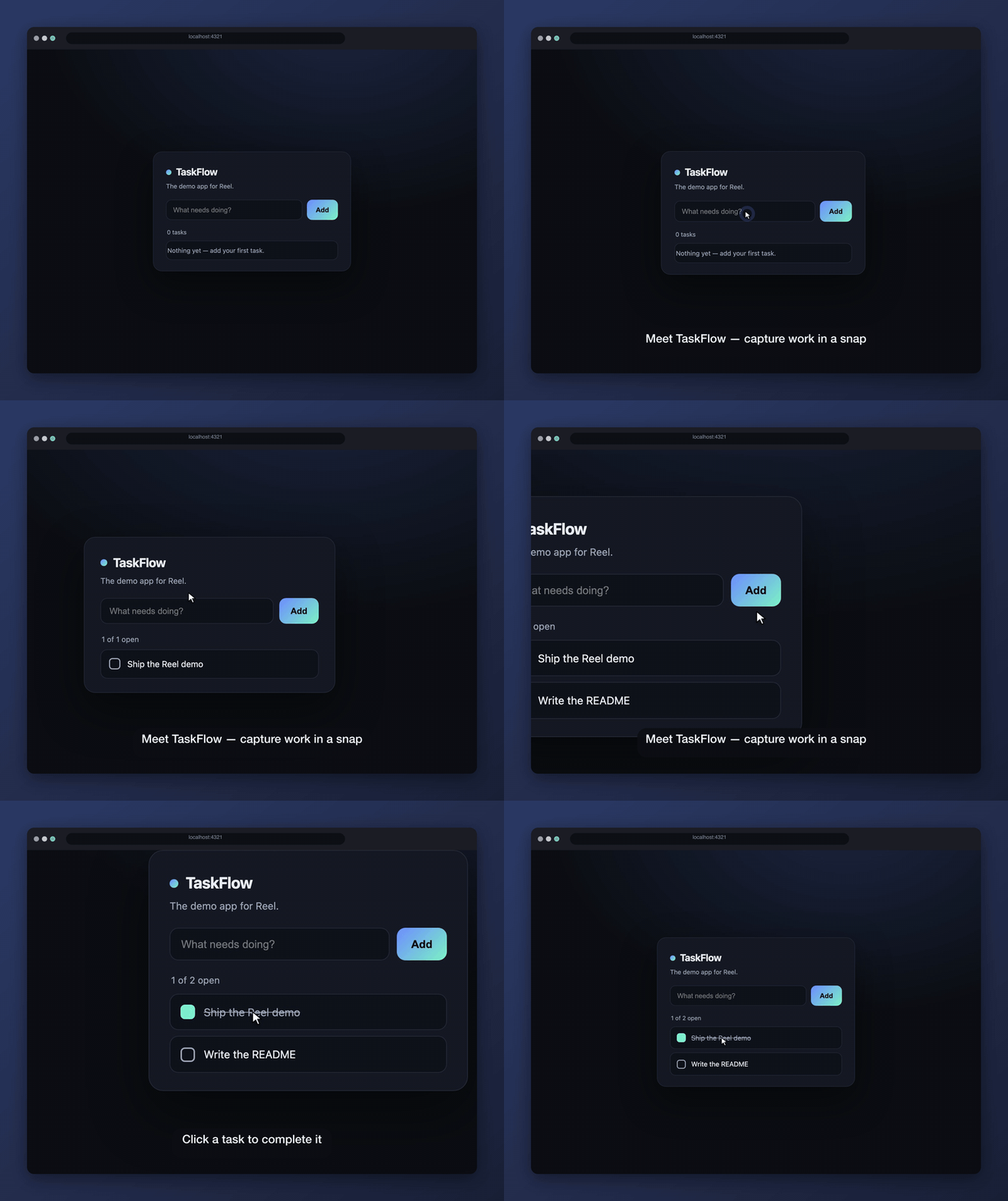
Lightweight loop for a README or a chat thread.
Write it, or describe it
Hand-write the spec, or tell an agent the story in plain English and let it work out the selectors against your running app.
Record
Reel drives the real app in a real browser — zooming toward what matters, easing a cursor, laying captions over the top.
Commit, then keep it honest
Check the media in beside your code. reel check runs the same spec in CI and fails the moment the flow stops working.
Built for demos that outlive the sprint
One spec, every format
GIF, MP4, WebM, storyboard stills and a self-contained interactive build — all from the same file. No re-recording per channel.
It never goes stale
reel check re-runs the demo headlessly in CI and fails the build when a step can't complete. A broken flow is a red build, not a wrong GIF nobody noticed.
Self-healing selectors
When the UI drifts, a deterministic ladder re-resolves the step — and only asks a model about the cases it genuinely can't settle. Your spec gets repaired, not just reported.
Describe it in English
reel author opens your running app, works out the selectors, performs the story and verifies each step — then emits a spec you own and edit. Bring your own key.
Or author by doing
reel capture opens your app in a real browser. Demo it the way you would to a customer, press Finish, and you have a spec that already replays — with selectors ranked by how stable their meaning is, not by convenience.
Is the demo still true?
check proves the steps ran; diff proves pixels moved. reel review reads the frames that changed and says what changed in your product's words — and flags a caption the screen no longer matches.
Demos behind a login
Sign in once off camera and replay that session — or start on the logged-out page and cross over mid-demo with signIn. Nobody watches a login, and no password ever goes near a spec.
Byte-identical renders
A virtual timeline and a frozen clock mean the same spec produces the same bytes on any machine. Committed demo media changes only when the demo does.
Safe by construction
Redact selectors, mock network calls, and freeze dates before a frame is captured — so a customer name never reaches a public GIF.
Demos that talk
Put say: beside the caption it belongs to and the demo narrates itself — voice, a ducked music bed, and a tick on every click. A caption is read and narration is heard, so the two are written separately.
The picture waits for the voice
A hold written for reading is too short to say out loud. fit: stretch extends each one to fit the line it carries — the bundled example turns 11.4s of captions into 26.6s of narration, in sync, with nothing hand-tuned.
Nothing is ever spoken twice
A speech endpoint returns slightly different audio every time it is asked, which would be the end of byte-identical renders. Each line is synthesized once into a cache you commit — so a colleague, and CI, render the same demo with no API key at all.
Turn the sound on
Narration, a music bed that ducks under it and sound design — written in the same spec, rendered by the same command. This one is a real render, not a mockup.
One recording, both languages. The subtitles on this player are the sidecar Reel wrote beside the video.
A voice per language
A sentence takes a different time to say in Spanish than in English, so each language re-fits the same frames to its own speech and encodes its own mp4 — 26.6s and 28.9s from one drive of the app. No second capture, and Reel says which lines a person translated and which a model did.
audio:
  voice: { provider: elevenlabs }
  fit: stretch          # the picture waits for the voice
  sfx: subtle           # a tick on a click, keys while typing
  music:
    file: bed.mp3       # yours; Reel ships no tracks
    gain: -20
    duck: -14           # how far it drops under the voice

steps:
  - caption:
      text: "Two entries so far"
      say: "The ledger opens with two entries already recorded."
      sayIn:
        es: "El libro se abre con dos asientos ya registrados."

output:
  mp4: out/demo.mp4
  audio: true
  subtitles: true
  languages: [es]
Mixed, not just muxed
The bed drops by the number you wrote: the envelope is built from the narration timings rather than a compressor listening to the voice, so duck: -14 means fourteen decibels, not “about fourteen, sometimes”. Effects are synthesized from oscillators — nothing to license, and no two projects sharing a recognisable click. The finished track is normalised to −14 LUFS, which is what YouTube and LinkedIn normalise to anyway.
One line in your README
The render writes straight into your repo, so embedding it is a normal markdown image — no upload, no share link, no account, nothing to expire.

And because reel check runs the same spec in CI, the image stops being a screenshot someone forgot to update — a broken flow fails the build instead.
Capture work in a snap. Add a task, complete it, move on.
Recording in about a minute
Node 20+, and an app already running somewhere you can reach.
Scaffold a spec
Writes a starter demo.reel.yaml you can read in one sitting.
Point it at your app
Set url:, then list the steps — click, type, waitFor, caption.
Render it
GIF, MP4 and a storyboard land in out/, ready to commit.
It all runs from your terminal
Studio is optional. The CLI is the whole tool — every command works the same on your machine and on a CI runner, with no service to sign up for.
- reel doctorCheck this machine can record: browser, ffmpeg, image pipeline, temp space.
- reel initScaffold a starter demo.reel.yaml to edit.
- reel capture --url <url>Author by doing — drive your app in a browser and get a spec back.
- reel record <spec>Drive your app from a spec and render the demo.
- reel check <spec>Re-run the spec headlessly and fail if any step can't complete.
- reel ci [specs...]Run every demo in the repository and report one result.
- reel diff <a> <b>Compare two renders and report which parts of the demo changed.
- reel review <a> <b>Say what changed, and whether the demo is still telling the truth.
- reel heal <spec>Re-resolve a step the UI broke, and repair the spec in place.
- reel author <story>Turn plain English into a spec an agent verified against your app.
- reel schemaPrint the JSON Schema for a spec — editor autocomplete and validation.
- reel themesList the colour schemes available to terminal demos.
- reel uiLaunch Reel Studio, the local web workspace.
- uses: KirtiJha/reel@v1
  with:
    specs: "**/*.reel.yaml"
    mode: record      # regenerate the media
    review: true      # …and say what changed in it
    comment: true     # one PR comment, updated in place
    commit: true      # push the new media to the branch
Why it belongs in CI
check fails the build the moment a step can't complete, so a broken flow is a red build rather than a misleading GIF. And because renders are deterministic, record is a no-op unless the demo genuinely changed — a media diff means something really moved.
Demos behind a login
Sign in once off camera with capture --save-auth and every render replays that session. Opening on a logged-out page instead? A signIn step crosses over mid-demo, so one continuous take shows both. No password ever goes near a spec — there is deliberately nowhere to put one.
Is it still true, though?
A demo can pass every check and still be wrong: rename a button and the flow completes, the diff is a fraction of a percent, and the caption over it now names a control that no longer exists. review reads the frames that changed and says so. At one demo somebody watches the GIF; at forty, nobody does.
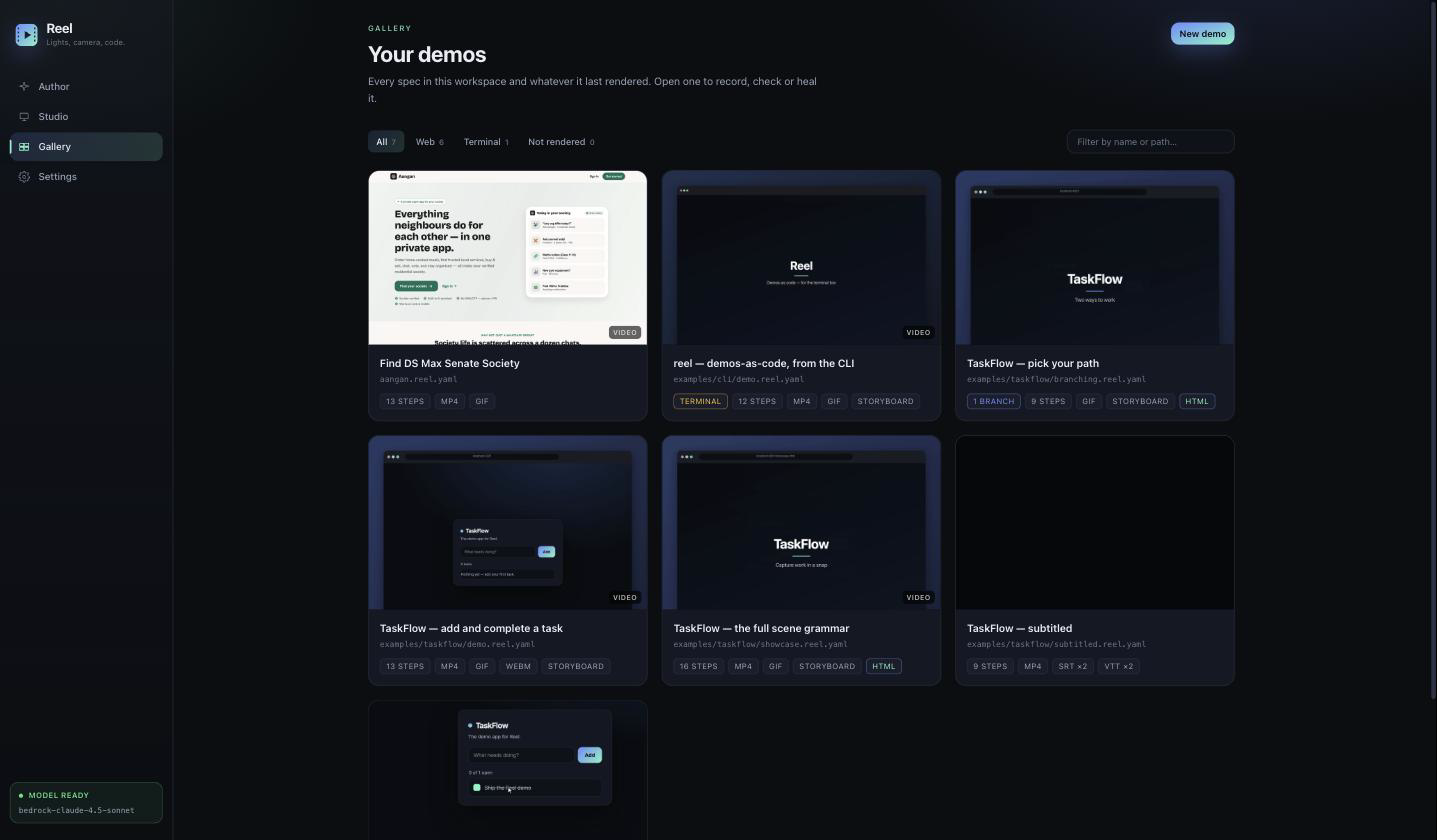
A local workspace for your demos
Everything the CLI does, with the spec, the controls and the rendered result on one screen. Runs on your machine — nothing is uploaded anywhere.
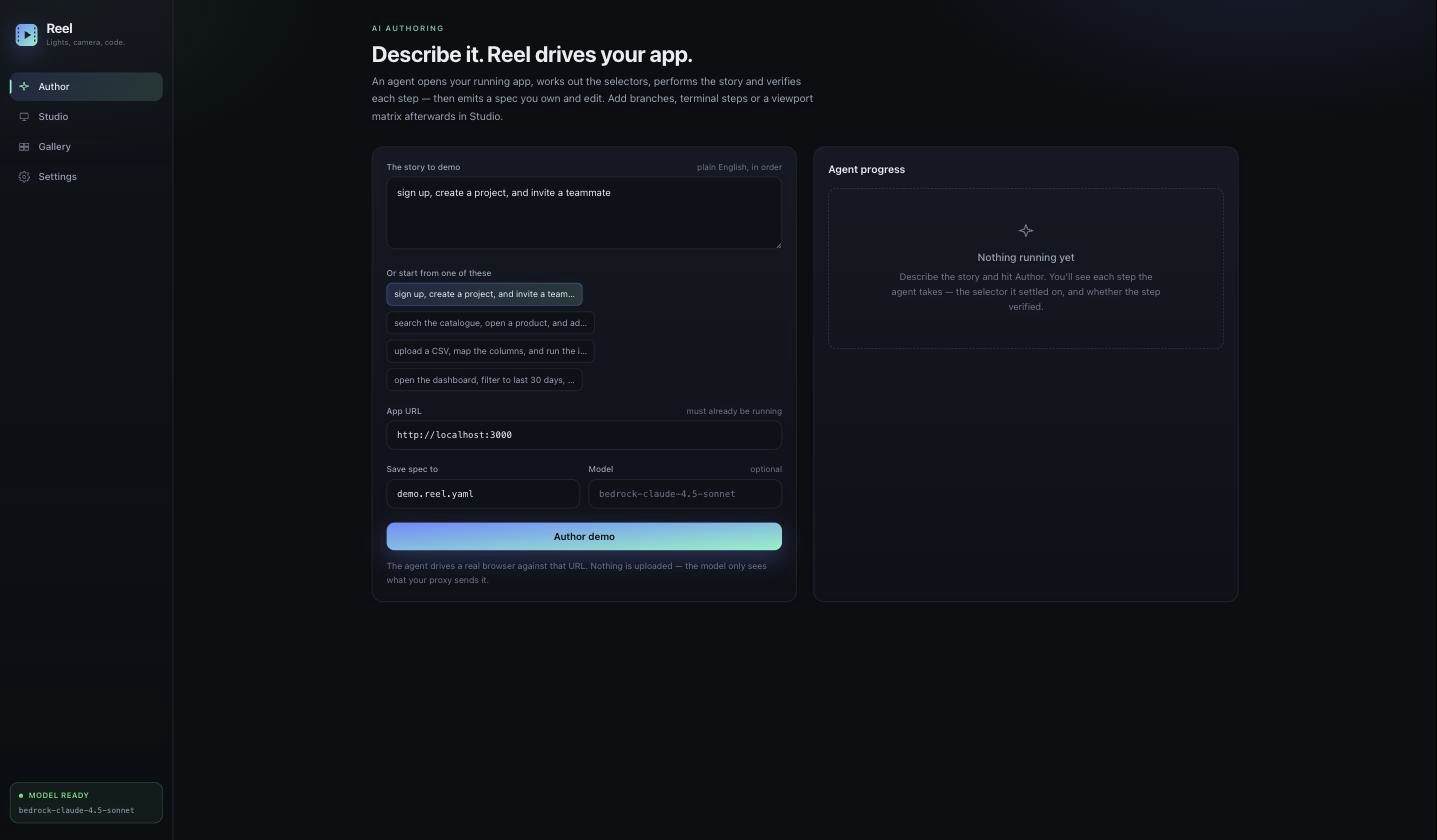
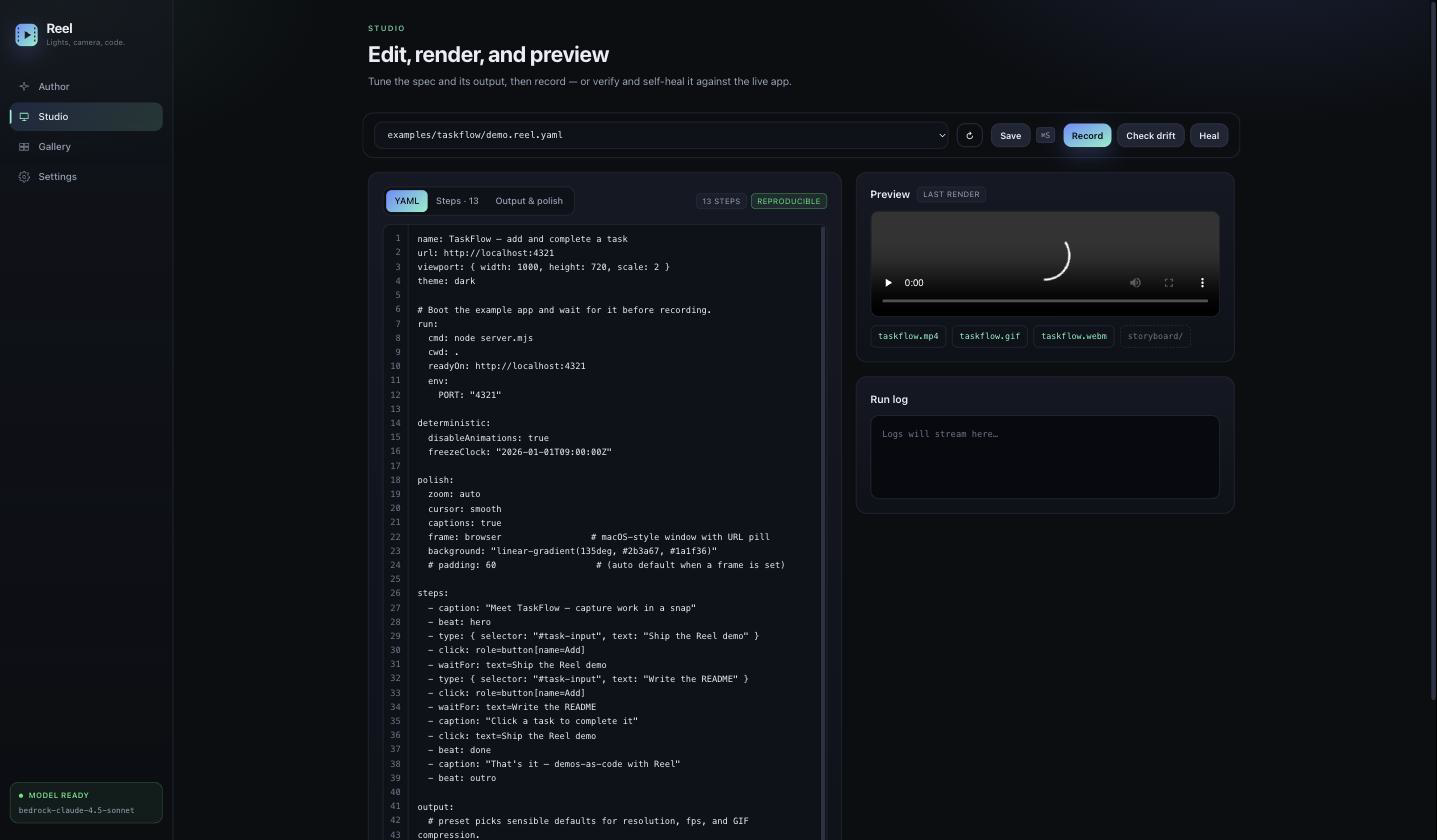
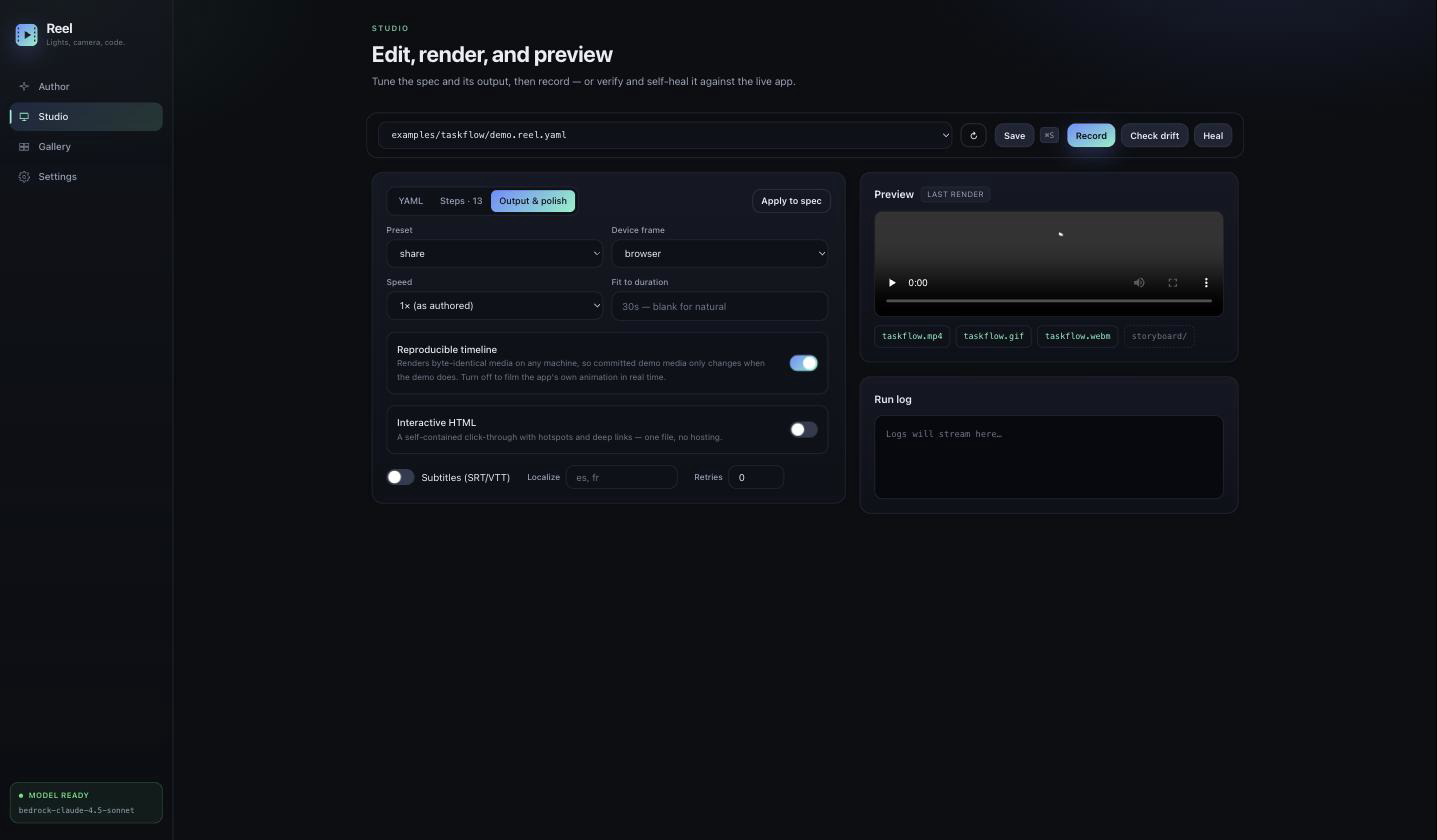
Author
Describe the story in plain English; an agent drives your app and writes the spec.
Record your first demo
Point Reel at an app you already have running. You'll have a spec and a rendered demo in a couple of minutes.